


Beauty Makeup Editor & Camera
4.72.55K Reviews
App Specs
- Version
- 2.1.2
- Updated On
- License
- Free
- Downloads
- 50,000,000+
- Developer
- Photo & Video Editors - Instant Solution
- Categories
- Beauty
- Platform
- Android, iOS
Screenshots

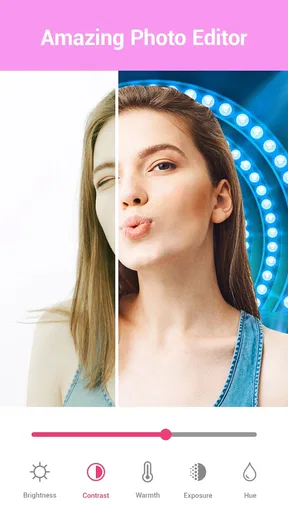
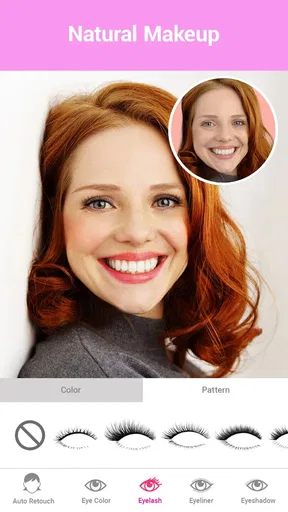
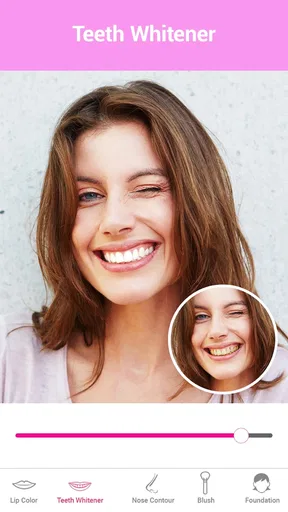
 Analysis by AppCompare
I often find beauty-editing apps most useful when there is no pressure to make a photo look polished. They can be a low-stakes way to test a lipstick shade, compare a few different looks, or simply have a laugh with someone else over a selfie. That is the spirit in which I’d use Beauty Makeup Editor & Camera: as a playful photo tool for trying visual changes, not as a replacement for makeup advice or a promise that every edit will look exactly like real life.
Trying it together without mixing up personal photos
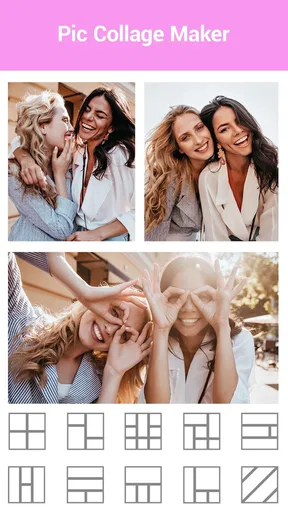
On a shared phone or tablet, the simplest household use is to take turns with a portrait and decide together what to change. One person might try a softer lip color while another tests a more dramatic eye look. Because the app combines makeup editing with a camera that previews effects, it suits quick experiments where the point is seeing a few options rather than producing a carefully retouched portfolio image.
I’d still agree on whose photo is being edited before handing over the device. A selfie can feel personal, even when the editing is meant as a joke, and a shared screen makes it easy for someone to save or show a result before the person in the picture is ready. A useful routine is to choose the photo together, make the changes together, and let the person pictured decide whether the result is kept or shared.
That small boundary matters more than any filter. The app is a beauty editor, not a household photo-management system, so I would not treat it as a place to organize everyone’s pictures or assume that one person’s choices automatically apply to another’s. If several people use the same device, taking a moment to check which image is open can prevent awkward mix-ups.
Keep the experiment intentional
The makeup tools are most convincing when I make one change at a time. I would start with a lip shade, compare it with the unedited image, and only then move to blush or eye makeup. Making every adjustment at once can make it difficult to tell which effect works, while a sequence of small changes gives the person in the photo more control over the final look.
This is also a good way to use the app as a low-commitment style preview. If someone is curious about trying a stronger brow or a different eye color, an edited portrait can help them picture the idea before making a real-world change. It cannot reproduce how makeup feels or behaves in person, but it can answer the narrower question, “Do I like this general direction?”
For a realistic everyday moment, imagine getting ready for a family celebration and having a few minutes before leaving. You can take a quick portrait, compare a subtle look with a bolder one, and decide whether either feels right for the occasion. I would keep the edits moderate if the image is meant to help with a real makeup choice; a dramatic filter may be entertaining, but it is less useful as a preview of how a product will look in natural light.
Worth Reading Before You Choose

Baby Panda World Brings Quick Play to Modern Phones, but Its Game Library Feels Busy

ESPN’s Live Game View Makes Following Close Games Easier

QuizzLand Review: A Good Fit for Short Trivia Breaks, Not Every Player

Basketball Stars: Multiplayer Is Fast, but Can It Recover When Matches Go Wrong?

WEBTOON Turns Phone Updates Into a Better Reading Routine

Link to Windows Runs on Shared Habits, Not Social Feeds
Shared devices call for simple boundaries
Since a household device may hold photos belonging to different people, I would avoid treating “everyone can open the app” as the same thing as “everyone has agreed to use everyone’s pictures.” Ask before editing another person’s portrait, especially if the result might be shared outside the room. That is ordinary courtesy, but it is particularly useful when the app makes it easy to try conspicuous changes quickly.
I would also make a distinction between playful editing and a finished image that represents someone publicly. A colored-eye effect or heavily smoothed skin can be fun among friends, yet may create a misleading impression if passed along without context. Before posting or sending a result, check that the person in it is comfortable with both the edits and the audience.
For people who want separate personal libraries, or who need detailed controls over what each household member can access, a dedicated photo-management setup is a better fit than relying on a beauty editor. This app’s value is in the creative edit itself. I would choose it for a shared, supervised activity, not as a solution for managing family accounts or setting device-wide boundaries.
Age, trust, and a realistic role for the app
The app is rated for Everyone, which makes its intended audience broad, but an age label does not replace a parent’s judgment about how a child uses photo tools. I would keep the conversation focused on consent, realistic expectations, and the difference between an edited selfie and an unaltered picture. Younger users may enjoy trying effects, while still needing an adult to guide decisions about saving or sharing images.
That conversation can be practical rather than heavy. For example, ask whether the person likes the edit because it is amusing, because it helps them imagine a style, or because they feel they must change their appearance to look acceptable. A beauty app can support creative play, but it should not turn a casual photo into a standard that someone feels obliged to meet.
In a household where people are sensitive about appearance, I would use the retouching and makeup effects with care. Smoothing skin may be a handy creative choice for a particular image, but repeatedly presenting a heavily altered face as the normal version can send the wrong message. Keeping the original alongside the edit, when practical, makes it easier to remember that the result is an artistic variation rather than an objective correction.
Where it fits among beauty and camera alternatives
Compared with a general photo editor, this app’s appeal is its emphasis on facial makeup and beauty effects rather than broad image work such as cropping a whole scene or adjusting a landscape. Compared with a makeup-shopping or shade-matching tool, it is better approached as a visual playground: an edited image can suggest a look, but it is not a reliable test of how a real product will match someone’s skin or appear under different lighting.
That distinction helps me decide when to open it. For a quick selfie makeover, a playful group activity, or a rough preview of a style, a focused beauty app is convenient. For precise retouching across a large set of images, detailed color correction, or a faithful record of how makeup looks in person, I would reach for a more specialized editor or use an unfiltered camera image as a reference.
One practical tip is to judge the effect at the size where the photo will actually be viewed. A change that looks natural in a small preview may feel too strong when the portrait is enlarged. I would also compare the result with the original before saving or sharing: facial smoothing and added color can subtly alter the overall impression even when each individual setting seems restrained.
Another useful trade-off is speed versus control. The app is suited to quick experimentation, but fast presets and effects are not the same as painstaking, pixel-level editing. If I want to explore several looks without spending time on a complex workflow, that simplicity is a plus. If I need exact, repeatable edits for professional work, the convenience may come at the cost of the fine control I would want.
Cost, compatibility, and what to expect before installing
It is a free beauty app from Photo & Video Editors - Instant Solution, with optional in-app purchases ranging from $0.99 to $99.99 per item. I would check the purchase prompts carefully if a child or another family member uses the device, and make sure everyone understands that free to install does not mean every possible item is included without charge. The app has been available since January 20, 2016, and its current version is 2.1.2.
Its popularity is substantial: it has over 50 million installs, a 4.7 average rating, and around 435,000 ratings, alongside about 2,500 written reviews. Those figures can offer a sense that many people have tried it, but they cannot tell me whether its particular editing style will suit my taste. I would treat them as context, then judge the results on the kinds of portraits I actually use.
The minimum operating-system requirement is version 7.0, and the content rating is Everyone. Before installing on an older device, I would check that its operating system meets that requirement. On a shared device, I would also look over the purchase settings and agree on who can approve spending; that is a sensible household precaution for any app with optional purchases, rather than a special feature of this one.
First Impressions and Features
Opening up the Beauty Makeup Editor & Camera for the first time, I was greeted with a sleek and intuitive interface. It’s user-friendly, so even if you’re not tech-savvy, you’ll find your way around without breaking a sweat. The app promises to enhance your photos with just a few taps, offering a range of features that are both fun and functional.
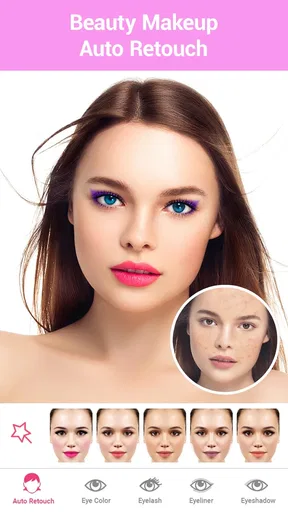
First off, there’s the makeup editor. This feature allows you to experiment with various makeup styles. Whether you want a subtle everyday look or a bold evening style, you can play around with different shades of lipstick, eyeshadow, blush, and more. It’s like having a virtual dressing table at your fingertips.
Then, there’s the camera feature, which is just as impressive. It comes with a bunch of filters that are perfect for spicing up your selfies. Plus, the real-time camera effects mean you can see your new look before you even snap the picture. Talk about instant gratification!
How It Stands Out
What really sets this app apart from others is its ability to make edits appear natural. Some apps can leave you looking like a cartoon character, but this one manages to enhance without overdoing it. I tried a few dramatic looks, and they surprisingly didn’t look out of place. It’s all about enhancing your natural beauty, rather than creating a whole new face.
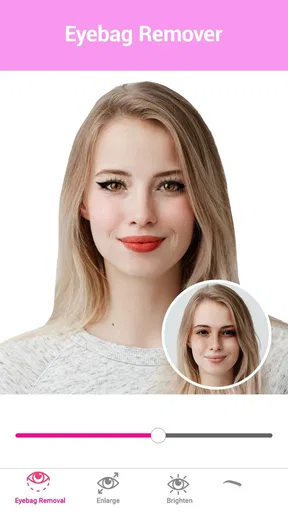
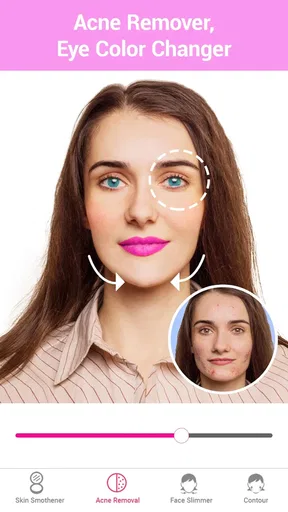
Another standout feature is the skin retouching tool. We all have those days when our skin isn’t cooperating, and this app is a lifesaver for that. It smooths out imperfections, evens skin tone, and gives you that airbrushed finish that’s usually reserved for magazine covers. And the best part? It’s all adjustable, so you can keep it subtle.
Playing Around with the Details
The app also lets you adjust smaller details like eyebrows and eyelashes, which can make a huge difference in your overall look. You can choose different eyebrow styles and adjust their thickness, which is perfect for trying out new trends without committing to a real-life brow makeover.
For lashes, you can add volume and length with just a swipe. It’s like having a magic wand that instantly upgrades your eye game. And if you’re a fan of colored contacts, the app has got you covered there too. You can change your eye color with a simple tap, giving you the chance to experiment with different looks effortlessly.
Final Thoughts
So, after spending some quality time with the app, I can genuinely say it’s a useful and entertaining app for anyone who loves experimenting with their look. It’s not just about taking pretty pictures; it’s about exploring different styles and having fun with your appearance without any of the mess or commitment.
Whether you’re prepping for a big night out or just want to play around with new looks, this app is a fantastic tool. It’s like having a beauty salon in your pocket, ready to help you look your best at any moment. So go ahead, give it a whirl, and unleash your inner beauty guru!
Pros
- Easy-to-use interface for quick edits.
- Wide range of makeup options available.
- Real-time filters enhance live photos.
- Customizable beauty presets for unique looks.
- High-quality output with minimal distortion.
Cons
- Contains in-app purchases for premium features.
- Some filters may feel exaggerated.
- Occasional ads interrupt editing process.
- Limited free features compared to paid versions.
- Requires a stable internet connection.
FAQs for Beauty Makeup Editor & Camera
What features does the Beauty Makeup Editor & Camera offer?
The Beauty Makeup Editor & Camera app provides a range of features, including virtual makeup application, real-time filters, and photo editing tools. Users can apply lipstick, blush, and eye makeup effortlessly. Additionally, the app offers skin smoothing, blemish removal, and face reshaping options to enhance your photos before sharing them on social media.
Is the Beauty Makeup Editor & Camera app free to use?
The app is free to download and use, with a variety of basic features available at no cost. However, there are premium features and content, such as exclusive filters and advanced editing tools, which require a subscription or one-time purchase. Users can choose according to their needs and budget.
Does the app require an internet connection to work?
While many features of the Beauty Makeup Editor & Camera app can be used offline, such as basic editing tools and filters, certain aspects like downloading new content or accessing cloud storage require an internet connection. For the best experience, it's recommended to have an internet connection available.
Is the Beauty Makeup Editor & Camera app safe in terms of privacy?
The app places a high priority on user privacy and data protection. It requires access to your camera and photos for editing purposes, but it does not store or share personal data without consent. Users should review the app's privacy policy to understand how their data is managed and protected.
Can I use the Beauty Makeup Editor & Camera app on both Android and iOS devices?
Yes, the Beauty Makeup Editor & Camera app is available for both Android and iOS platforms. Users can download it from the Google Play Store or the Apple App Store, ensuring compatibility with a wide range of devices. Regular updates are provided to improve functionality and add new features.


